Voice learning for K-12
A patient study buddy that learns from your child's teacher
LearnBuddy answers children's questions out loud, starting from the materials their own teachers upload. Parents decide what it keeps, and can read every conversation.
- No voice recordings kept
- Class materials first
- Parents in control
How it works
Three people, one learning loop
-
Teachers upload their materials
Worksheets, readings and notes for each class. LearnBuddy summarises each one and drafts a lesson plan the teacher can edit before children see it.
-
Children ask, out loud
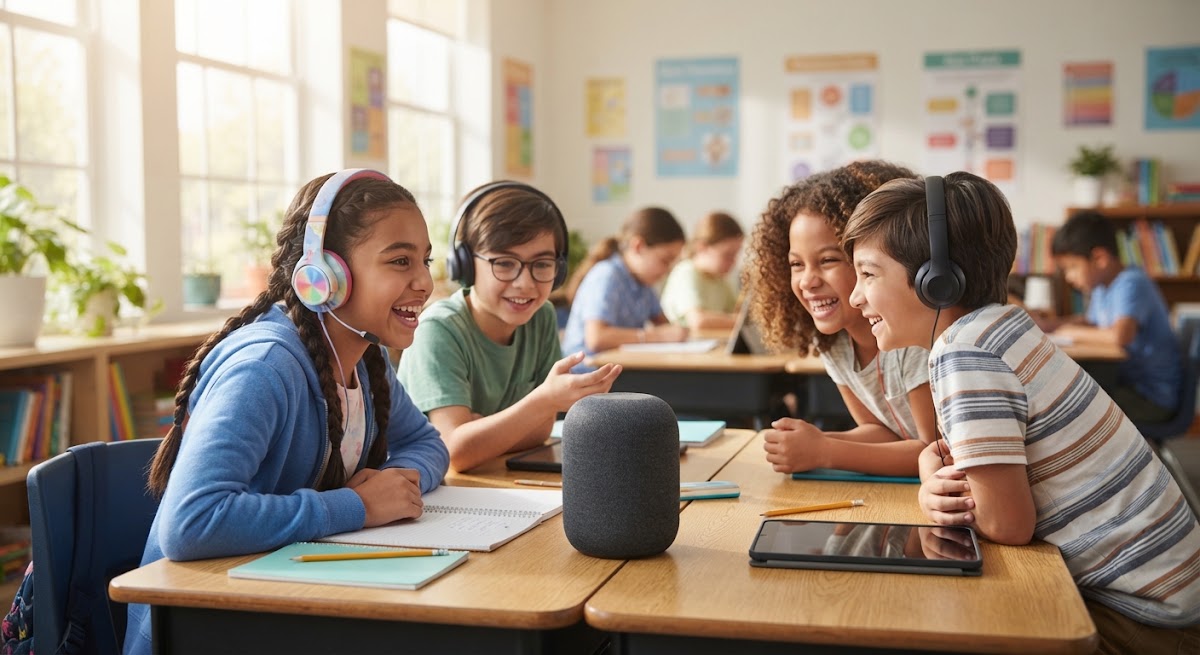
On the LearnBuddy device with a wake word or a button, or in the mobile app. It answers like a teacher, from the class's materials first.
-
Parents and teachers follow along
Parents read transcripts, set daily limits and see a to-do list. Teachers see progress on each material, never a child's words unless a guardian shares them.
For schools and teachers
Your curriculum, answering back
LearnBuddy works inside the classes you already teach. It answers from what you uploaded, tells children when it goes beyond it, and shows you where each child is with each material.
-
Lesson plans, drafted for you
From each material, a plan with clear objectives and step-by-step sessions. You edit it and publish it to the classes you choose.
-
Progress on every material
Lesson steps, how secure each objective is, and time spent, for children whose guardians agreed.
-
Test it as a student
Ask your materials a question, typed or by voice, and hear the answer a child would get.
-
Roles that stay separate
Admins manage teachers and classes. Teachers manage materials. Only parents manage devices.
-
A device for the desk
A small voice device that wakes on its wake word or button. Set it up from your phone in a few taps.
-
An app for on the go
Children sign in with their own account. Class notes stay available offline.
-
Daily limits
Choose how many minutes of voice learning each day, per child.
-
Your child's languages
Tell LearnBuddy which language to talk in and your child's home language.
-
A to-do list
See which lessons your child hasn't finished, and the questions to try again.
-
Every conversation
Read what your child asked and what LearnBuddy answered.
For families
Curiosity at home, with you in charge
Nothing starts until a guardian gives consent for their child. From then on, everything LearnBuddy does for your child is something you can see and change, on the web or in the app.
Privacy and safety
Built around children, not data
-
Transcripts, not recordings
Voice is turned into text and never stored. The microphone stays closed until the wake word or button.
-
No names to the AI
The AI sees a placeholder, never your child's name.
-
Teachers see results
Teachers see progress, not words, unless a guardian chooses to share questions.
-
Memory you control
Learning notes are off until you turn them on, and you can delete any of them.
Our approach
Teachers lead. AI helps.
We think AI belongs in learning only when it stays close to the teacher, is honest about what it knows, and gives families the final say.
- Grounded
- Answers start from class materials, and say when they don't.
- Transparent
- Parents can read every exchange. Lesson plans are drafts until a teacher publishes them.
- Consent first
- Consent is per guardian and per child, and withdrawing it turns sharing and memory off.
Questions
Frequently asked questions
Who can use LearnBuddy?
Accounts come from invitations. A school invites its admins and teachers, and teachers or the school invite parents. Parents then set up their children's devices and app sign-ins.
Does LearnBuddy record my child's voice?
No. The device listens for its wake word in memory only, and keeps the microphone closed until the wake word or its button. LearnBuddy keeps written transcripts so you can read them, and never stores voice recordings.
Where do the answers come from?
First from the materials your child's teachers uploaded for their class. When the materials don't cover a question, LearnBuddy can answer from general knowledge and says so, so children and parents can tell the difference.
Is my child's name sent to the AI?
No. The AI only sees a placeholder, and LearnBuddy fills in your child's first name when a person reads the reply.
Can it work without the internet?
Yes, partly. The mobile app and the device keep a learning package of the class notes, and answer from those notes when they're offline.
What does LearnBuddy remember about my child?
Nothing, until a guardian turns on learning notes. Notes are about learning only, and guardians can read and delete every one of them. Teachers and school admins never see them.
Already invited?
Sign in with the email your school or your child's teacher invited. Invitation links last 7 days.
Sign in to LearnBuddy